Selected work
Keepscan
In developmentScan anything. Keep it forever.
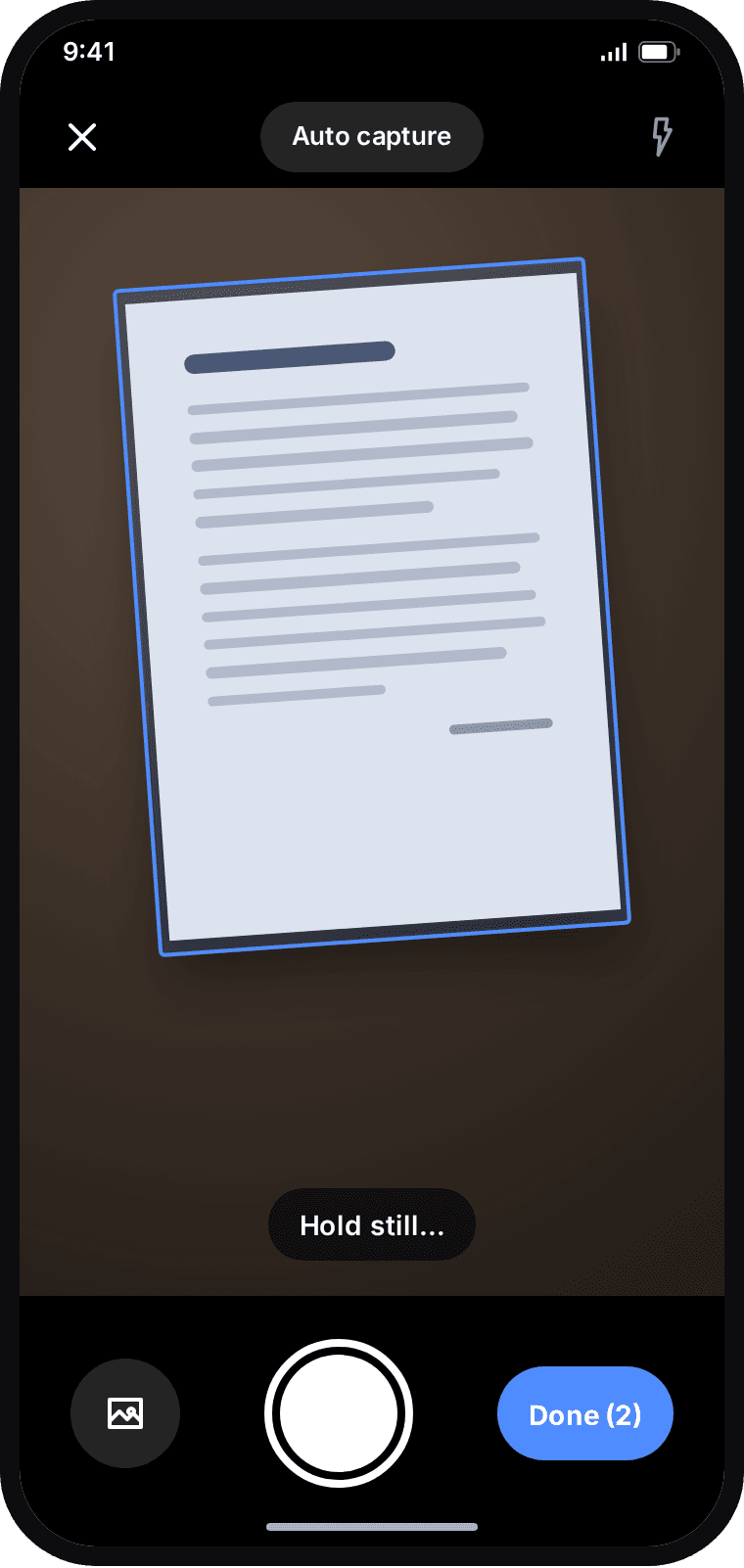
A document scanner for Android that turns receipts, forms, ID cards and notes into clean PDFs — with its own page detection, perspective correction and PDF writer, and no ads or account.
The problem
A phone photo of paper comes out skewed, shadowed and several megabytes. Keepscan finds the page, flattens it into even white paper and writes a compact PDF on the device, so IDs, contracts and bills never have to be uploaded anywhere to be scanned.
My role
Sole developer — product, Android development, image processing and Play release preparation.
What it does
- Live page detection written from scratch (Canny edges and a Hough transform), with auto capture
- Corner adjustment and perspective flattening on the platform's own Matrix
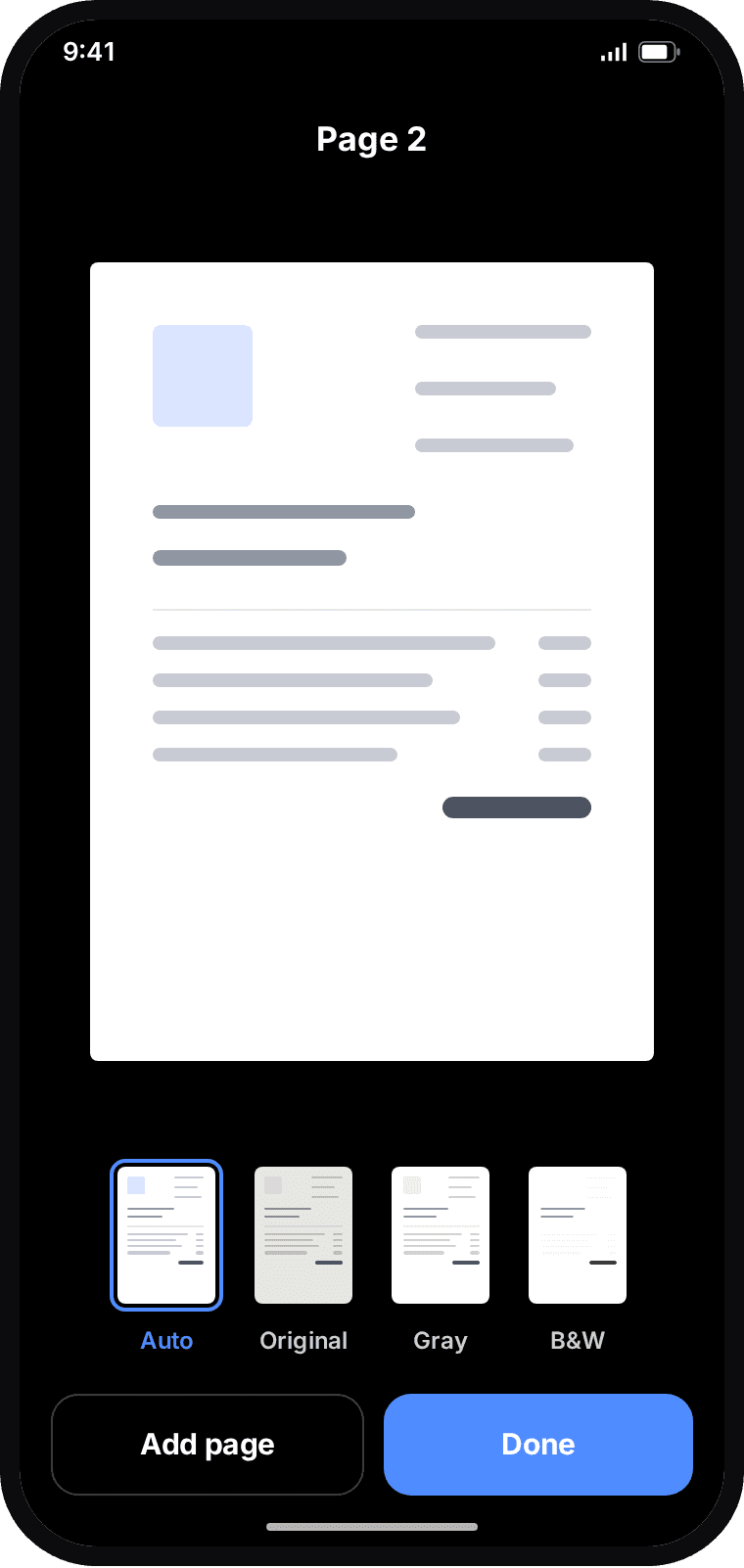
- Auto, Original, Gray and B&W filters that even out shadows and uneven light
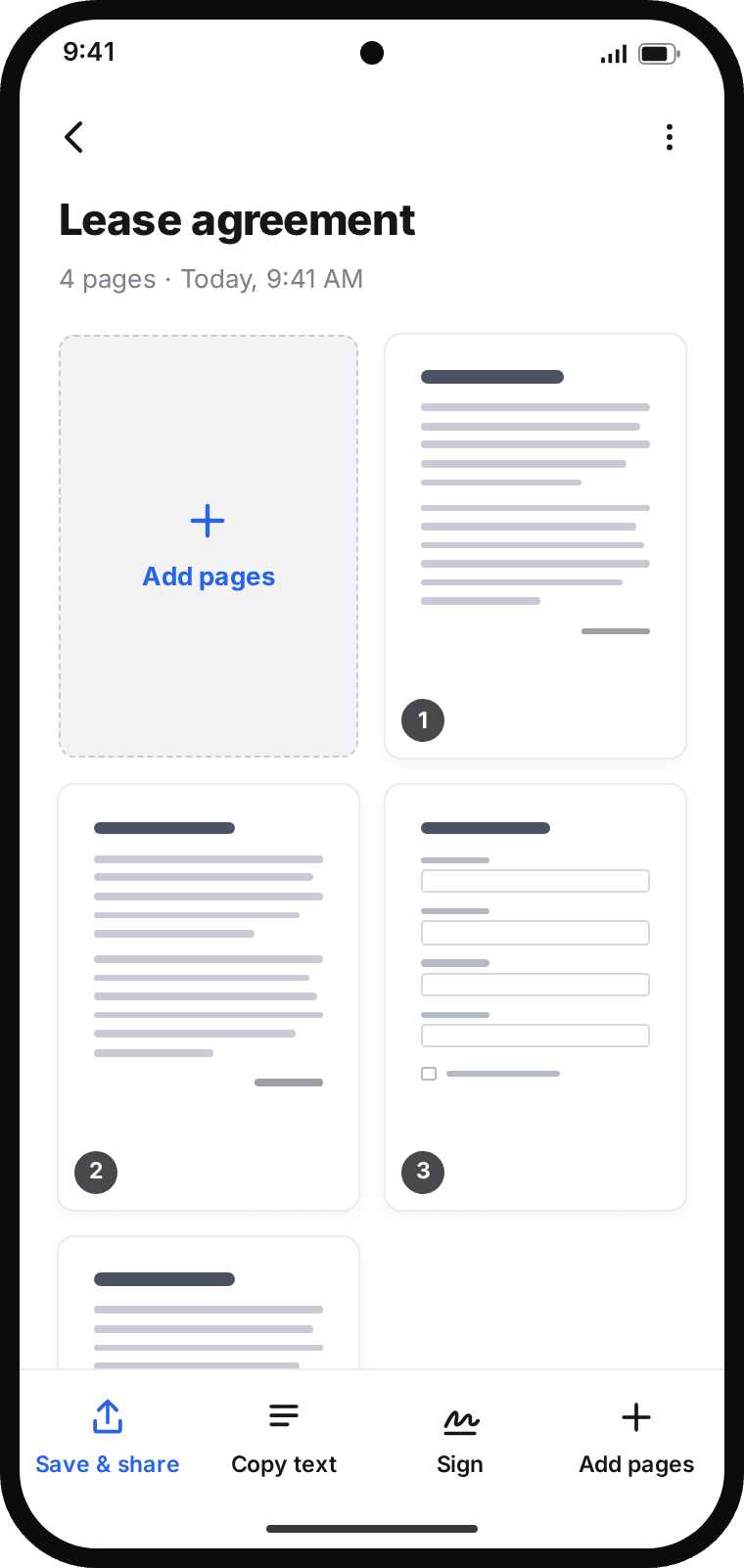
- Multi-page documents: add, reorder, rotate and delete pages
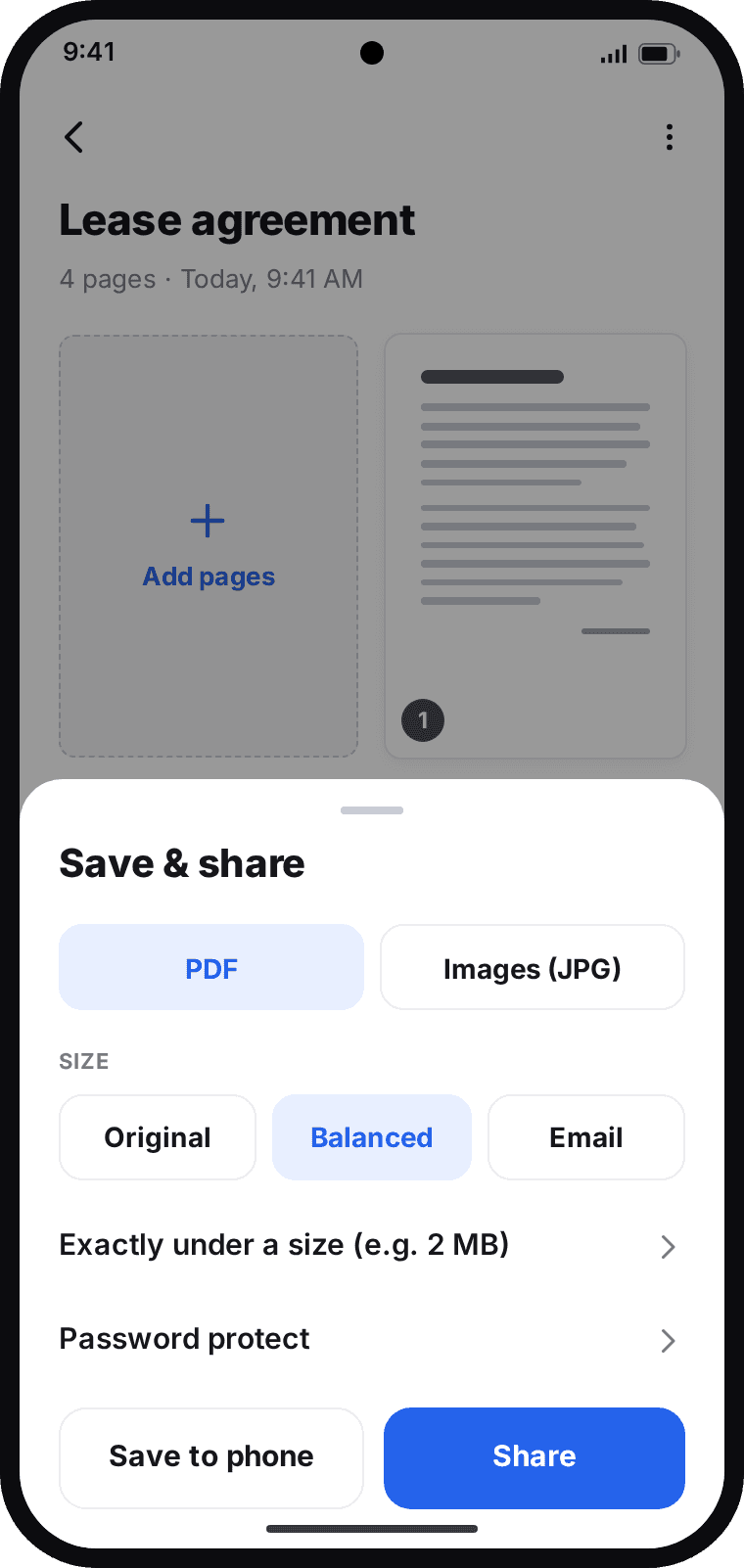
- PDF or JPG export in three sizes, written by its own JPEG-in-PDF writer
- ID card mode: front and back at real card size on one A4 page
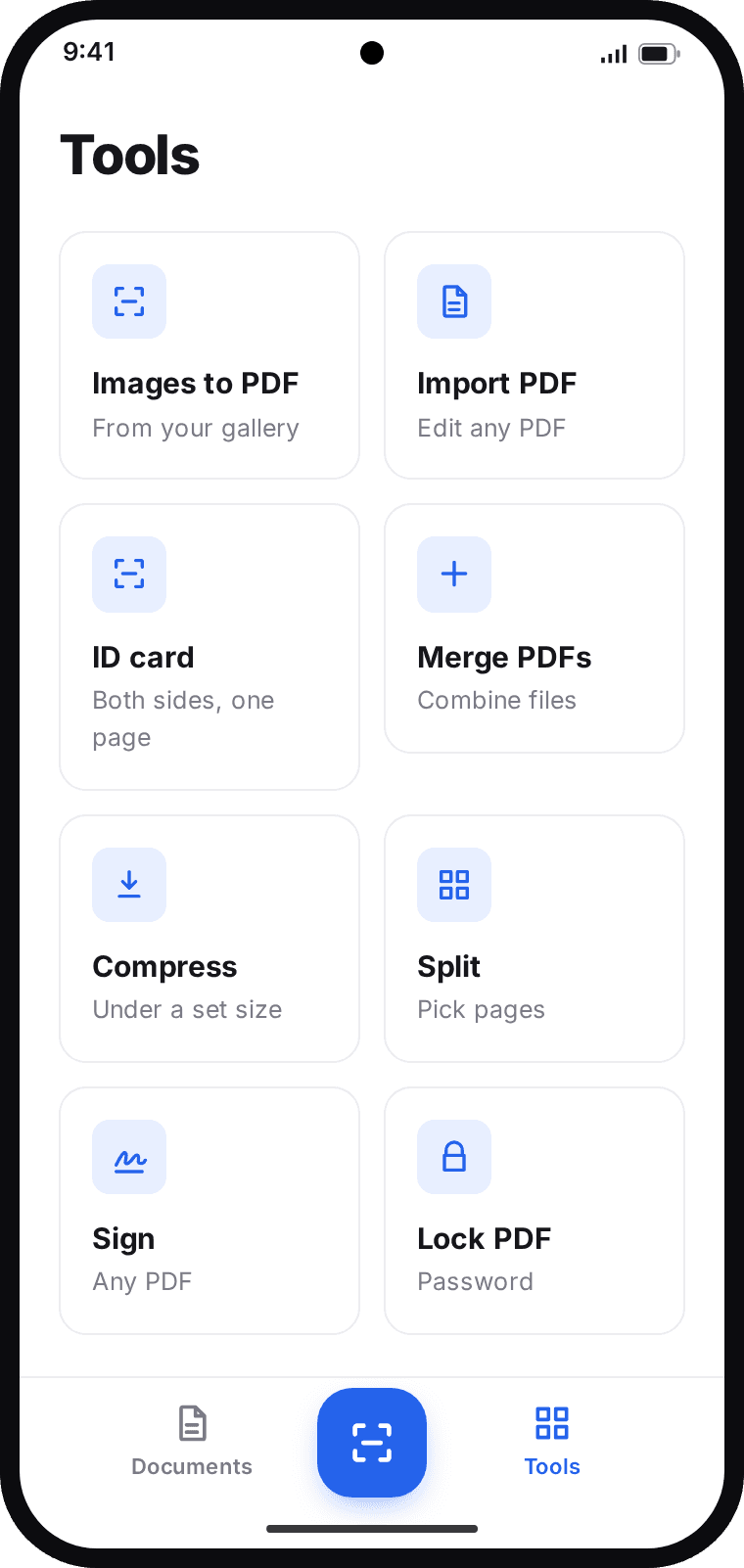
- Pro, one-time purchase: on-device copy text and search, signing, merge, split, compress, AES-256 PDF passwords and app lock
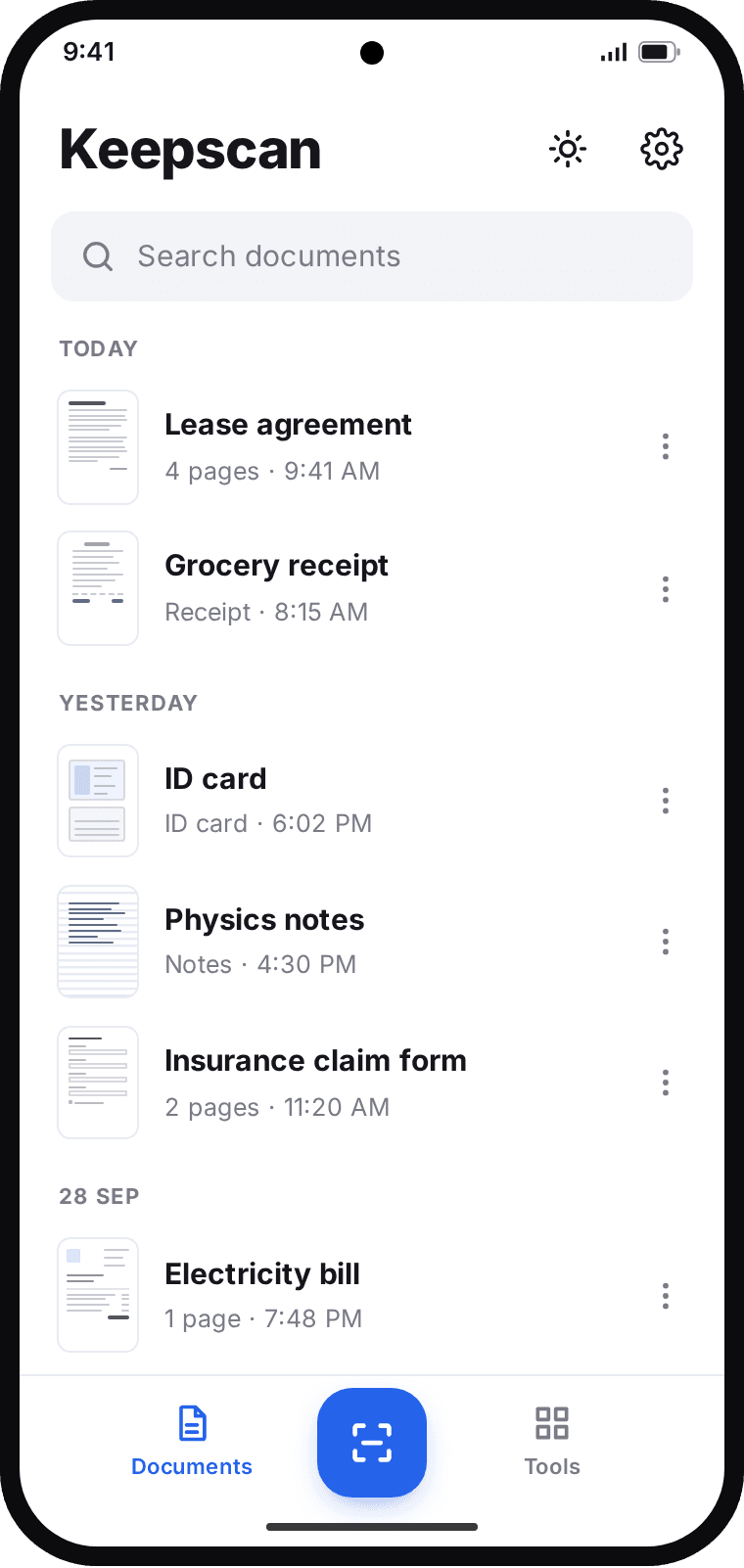
- Documents stay in private storage, with no account; backup is a single file the user keeps
Stack
- Kotlin
- Camera2
- Hilt
- Room
- Coroutines
- Navigation Component
- Material Design 3
- ML Kit text recognition
- Google Play Billing
Details
- Platform
- Android
- Timeline
- 2026
- Status
- In development
Screens
Screens drawn from the app's own layouts and text while the Play Store screenshots are prepared.